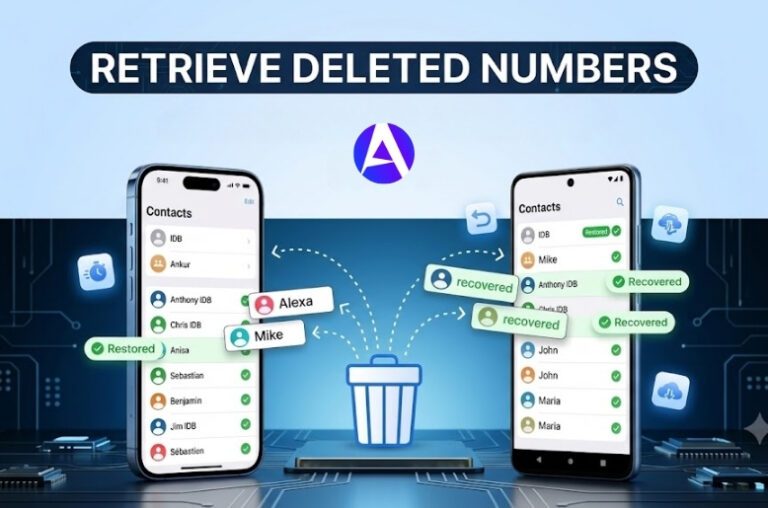

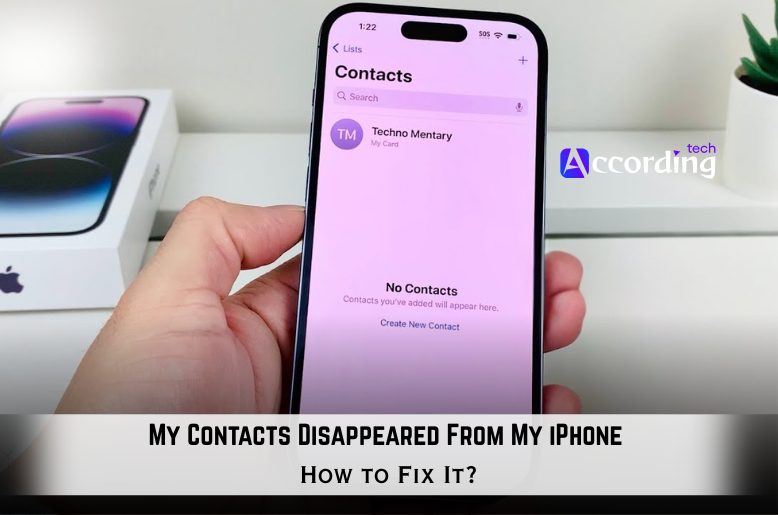
Few things are as stressful as unlocking your iPhone only to discover your contacts have vanished. One moment, everything is as it should be. The next moment, your contacts are no longer in your Messages app, and random numbers appear in your Messages app.
Quick Answer
The most common causes why your iPhone contacts disappeared are as follows:
- A failure in iCloud to sync your contacts,
- Hidden contact lists,
- Gmail/Outlook sync problems, and
- An iOS temporary glitch.
The majority of users who experience this issue can reconnect their lost contacts by:
- Turning iCloud contacts back on,
- Un-hiding contact lists,
- Restarting the iPhone, and
- Restoring contacts from iCloud.
The best part of this is contacts are nearly always recoverable and will not be lost permanently.
Why Did My Contacts Disappear From My iPhone?
There are a few reasons for lost contacts on an iPhone. Learning reasons for vanishing contacts will help you restore them.
iCloud Contacts Sync Turned Off
All of the following can disable the sync for iCloud contacts:
- Updating to a new version of iOS
- Changing some settings for your ID with Apple
- Logging out of iCloud
- Resetting the iPhone
- And finally, signing out of iCloud
Because contact sync is turned off your contacts may vanish off your iPhone, but have not been deleted and can still be found on iCloud.
Gmail or Outlook Sync Problems
If your contacts were saved in Gmail, Outlook, Yahoo, or Exchange, disabling sync or removing the account may hide those contacts.
Many users don’t realize that their contacts are associated with an email account, and are not directly stored in the iPhone.
Hidden Contact Lists
Sometimes contacts are not being deleted, simply sorted out of view.
- This may occur when:
- only one contact group is chosen,
- an iCloud list is ignored,
or when various accounts are utilized simultaneously.
iOS Update Glitches
Sometimes, the iOS update may cause some temporary sync issues.
After an update, some users may notice contacts:
- missing names,
- only having number fields, or
- an empty Contacts application.
Typically, it is a temporary issue and they are not permanently deleted.
How to Fix Missing Contacts on iPhone
Start with the easiest fixes first. Most users recover their contacts after trying one or two of these methods.
Fix 1: Restart Your iPhone
A temporary glitch can sometimes be fixed by restarting your iPhone when your saved contacts won’t load. This can happen after an iOS update, when storage is low, or if there is a problem with background syncing.
How to Restart iPhone
For iPhones With Face ID
- Press and hold the side button and either volume button.
- Slide the button to power off.
- After the phone displays completely black, wait 30 seconds so it can completely power off.
- Final step, turn your iPhone back on.
For iPhones With Home Button
- Press and hold the power button.
- Slide the button to power off.
- Wait 30 seconds.
- Power your iPhone back on.
The problem with saved contacts not syncing on the contacts app should be fixed after restarting your iPhone.
Fix 2: Turn iCloud Contacts Back On
This solution resolves the issue for a number of people.
Steps to Re-enable iCloud Contacts
- Navigate to Settings
- Select your Apple ID
- Choose iCloud
- Choose Show All
- Locate Contacts
- Ensure the toggle is set to ON
If it is already ON:
- Switch it to OFF
- Wait for 10 seconds
- Then set it back to ON
- When the prompt appears:
- Choose the option to Keep on My iPhone
- Then select Merge
Doing this will make your iPhone sync contacts from iCloud again.
Fix 3: Show All Contact Lists
Sometimes, it only shows one contact list, so it looks like contacts have vanished.
How to Show All Contacts
- Launch the Contacts app
- Hit Lists or Groups at the top-left
- Choose:
- All iCloud
- All Contacts
- Hit Done
If you use Gmail, Outlook, or multiple Apple accounts, this fix is very important to you.
Fix 4: Re-enable Gmail or Outlook Contact Sync
If your contacts were linked to Gmail or Outlook, the sync may have turned itself off.
Steps
Key Steps
- Launch Settings
- Hit Contacts
- Hit Accounts
- Choose your Gmail or Outlook account
- Toggle ON Contacts
You need to do this for every email account tied to your iPhone.
When you turn sync back on, the missing contacts might just show up.
Missing contacts linked to Gmail? You may also want to learn how to change Gmail password on iPhone if account sync issues continue.
Fix 5: Sign Out of iCloud and Sign Back In
Refreshing your Apple ID session can help if iCloud syncing has stalled.
Before starting this process, ensure the iPhone has been backed up.
Key Steps
- Shop Settings
- Tap on your Apple ID
- Scroll all the way down
- Tap Sign Out
- Restart iPhone
- Sign back in
Once signed back in, reconnect to Wi-Fi and wait a few minutes. The iCloud syncing should be completed.
Fix 6: Restore Contacts From iCloud
If your contacts have been deleted, iCloud may still have copies archived.
How to Restore Deleted Contacts From iCloud
- Go to the iCloud official page.
- Log in to your Apple ID.
- Go to Data Recovery.
- Click on Restore Contacts.
- Select the Backup version before your contacts disappear.
- Click on Restore.
This method can restore contacts that were deleted even weeks before.
Fix 7: Update iOS
Using the latest iOS version is key to fixing bugs that hinder your contact syncing.
How to Update Your iPhone
- Go to Settings.
- Click on General.
- Click on Software Update.
- Update your Software by installing any available updates.
Fix 8: Restore From an iPhone Backup
If all else fails, restoring from backup can recover your contacts.
You can backup from
- iCloud
- Finder
- iTunes.
Remember, restoring a backup may replace some current data, so this should usually be your last resort.
What If Only Some Contacts Are Missing?
In general, if just some contacts are missing, it’s because of one of the following:
- Hidden contact lists,
- Gmail sync issues,
- Duplicate accounts,
- Or incomplete iCloud syncing.
Try these troubleshooting techniques:
- Display All Contact Lists
- Gmail Sync Reinstatement
- iCloud Contacts Refresh
These methods address the majority of issues related to missing contacts.
Why Are Contact Names Missing But Numbers Still Show?
If your iPhone displays phone numbers instead of saved contact names, it is often due to temporary syncing issues.
Usually, the problem gets resolved quickly by simply turning iCloud Contacts OFF and then turning them back ON.
If your contacts return but names still don’t appear correctly in Messages, check out how to enable iMessage and verify your messaging settings.
How to Prevent iPhone Contacts From Disappearing Again
Once your contacts return, take a few steps to avoid the problem in the future.
Keep iCloud Contacts Enabled
Head to:
Settings > Apple ID > iCloud > Contacts.
This should permanently stay on
Avoid Removing Email Accounts Too Quickly
Before you delete a Gmail or Outlook account, examine if your contacts are saved there.
Keep iOS Updated
Keep your iOS up to date. Each new version tends to include fixes to improve overall syncing and database problems.
Make Regular Backups
Set:
- iCloud backups to auto
- or backups to Finder done locally.
- Backups help if anything goes wrong and improve the process to easily restore it.
FAQs
Q. Why did my contacts suddenly disappear from my iPhone?
Contacts can disappear for many reasons including:
- problems with iCloud,
- labeled groups with hidden contacts,
- issues with Gmail
- and some temporary glitches in iOS.
Q. Can I recover deleted contacts on iPhone?
Yes, some deleted contacts may be restored from:
- iCloud,
- synced to Gmail,
- or backed up on your device.
Q. Why are only some contacts missing?
This can be due to one of your contact lists being enabled or one of your synced accounts malfunctioning.
Q. Did an iOS update delete my contacts?
No, not normally. Most upgrades will only temporarily disrupt syncing. They will not delete any contacts.
Q. Are deleted contacts permanently gone?
Not all deleted contacts are forced into retirement. If you used iCloud in the past, previous versions of your contacts might be retrieved.
Final Thoughts
It is possible that lost contacts on the iPhone can still be restored.
Most missing-contact problems are caused by:
- iCloud contact problems
- contact lists that are hidden
- issues with Gmail accounts
- software glitches
Start with the simplest solutions first:If none of these solutions work, try the more advanced solutions.
Most commonly, missing contacts can be found stored in iCloud, Gmail, and Outlook.
By using these solutions one by one, the contacts can be restored with no problems.
- Restart the iPhone
- Check iCloud Contacts
- Show all contact lists
- Re-enable Gmail or Outlook Account Sync
If none of these solutions work, try the more advanced solutions.
Most commonly, missing contacts can be found stored in:
- iCloud
- Gmail
- Outlook
By using these solutions one by one, the contacts can be restored with no problems.